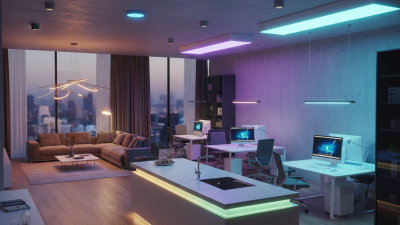
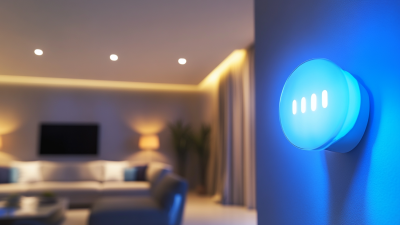
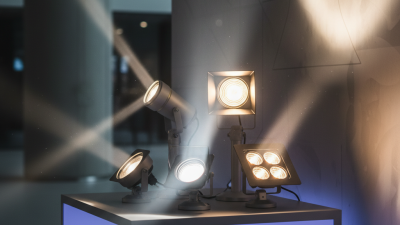
Smart Lighting Products are connected bulbs, switches, strips, and fixtures that let people adjust light with an app, voice assistant, sensor, or schedule. They can change brightness, and some models also offer adjustable colors or white tones. A bulb in a bedside lamp, for example, might fade down at night while a hallway sensor turns on a soft light after dark. Simple changes. But the details matter.
Products connect through different methods, including Wi-Fi, Bluetooth, or a dedicated hub. Compatibility with your existing devices and home network can affect setup and daily use. Some lights keep basic controls on a wall switch; others depend heavily on an app or internet connection. That difference is worth checking before purchase. A motion sensor may be useful near a doorway, but poor placement can trigger it whenever a pet crosses the room. Smart features do not guarantee lower energy bills, either. Results depend on the lamp’s efficiency, settings, and how people actually use it.
This guide explains what Smart Lighting Products do, how their main components work, and which features may suit different rooms. It also considers installation, controls, compatibility, and practical limitations. Product descriptions can make connected lighting sound effortless; real homes are messier. A router changes, a switch gets turned off, or an app becomes inconvenient. Those ordinary frustrations deserve attention, not a footnote. Understanding the trade-offs can help readers choose lighting that feels useful every day, rather than clever only during setup.
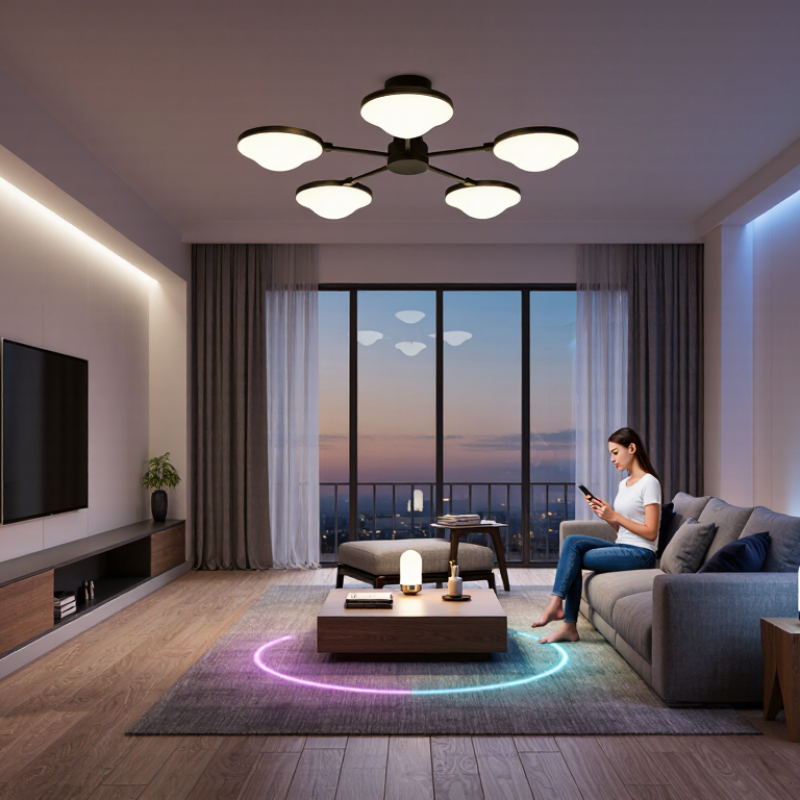
Smart lighting products are connected lighting devices that let users adjust illumination through an app, switch, voice interface, schedule, or sensor. Their defining feature is not simply remote control; it is the combination of a light source, control electronics, and a communication method. A lamp may respond to a wall switch while also following a weekday schedule. That distinction matters.
Core components usually include an LED light source, a driver that regulates electrical power, and a radio module for communication. The driver also affects dimming quality; some lights flicker or dim unevenly when paired with incompatible controls. A controller, such as an app or hub, sends commands and may store schedules. Some products work directly over a home network, while others need a separate hub. Sensors add automatic responses to movement or daylight. In a hallway, for example, a motion sensor can turn on a low-level light at night. Small details matter. Check whether controls work locally during an internet outage, and whether the chosen devices share a compatible protocol. “Smart” does not automatically mean better light. Brightness, color temperature, placement, and ordinary usability still deserve careful thought.
Smart lighting products combine connected lamps or fixtures with controls, communication, and often sensors. Together, these components let users adjust lighting manually or automate it based on schedules, occupancy, or daylight.
The values shown are typical maintained illuminance targets found in EN 12464-1 workplace lighting guidance. Actual requirements vary by task, space, and applicable standards. Smart controls can help maintain suitable light levels while reducing unnecessary operation.
Core components: LED lamps or luminaires produce light; a driver regulates electrical power; a controller manages commands and automation; a communication link connects devices; and sensors or a user interface provide inputs such as occupancy, daylight, or manual settings.
Smart lighting products connect through a home network, usually Wi-Fi, Bluetooth, or a low-power mesh protocol. Some bulbs communicate directly with a router; others rely on a hub that relays commands. That hub may sit beside the router, with a status light blinking quietly. Not always.
When you tap an app, your phone sends a command through the network to the bulb. A hub can translate between communication methods, then pass on instructions such as “dim to 40 percent.” Schedules run at set times, while motion or daylight sensors can trigger changes automatically. For example, a hallway lamp might brighten when someone enters, then fade after a quiet interval. It can lag.
Many systems also connect to voice assistants or other devices, but compatibility depends on shared standards and settings. Some controls keep working locally if internet access drops; others depend on remote servers. Check whether a product supports local control before building routines around it. Use a strong, unique account password and install firmware updates when available. Small details matter. Even careful setup may not prevent every brief disconnect, especially when the signal must cross several walls.
Smart lighting products include connected bulbs, switches, fixtures, light strips, and sensors. Smart bulbs are the easiest to retrofit: screw one into a lamp, then adjust brightness or color temperature through an app or voice control. Smart switches control ordinary bulbs from the wall and suit rooms with several ceiling lights. Check wiring and bulb compatibility before buying; setup can be fiddly. Light strips add indirect color beneath shelves or behind a desk, while motion and daylight sensors can automate lights in hallways or workspaces.
Features vary by product. Dimming and schedules help tailor light to daily routines, while tunable-white bulbs shift from warm evening tones to cooler task lighting. Color-changing models offer flexibility, but color is not useful in every room.
The International Energy Agency’s 2019 lighting analysis estimated that lighting consumed about 15% of global electricity.
The U.S. Department of Energy reports that LEDs use at least 75% less energy and last up to 25 times longer than incandescent lighting.
Those figures describe LEDs generally, not savings guaranteed by smart controls. A schedule can help, but only if it matches how people actually use a room.
Small detail. It matters.
Smart lighting products combine connected bulbs, switches, sensors, and controls to adjust light levels or timing. In homes, people often use them to create practical routines. Bedroom lights can dim before sleep, while kitchen lights brighten over a counter during meal preparation. A hallway sensor can turn on a soft light at night without requiring someone to find a switch. That feels useful. Yet routines need occasional adjustment when household schedules change.
Offices use smart lighting to respond to daylight, room use, and different tasks. Near a sunny window, dimming overhead lights may reduce glare on computer screens. Meeting rooms can shift from bright, even lighting for note-taking to softer light for presentations. Controls should remain easy to understand; otherwise, staff may ignore them or leave settings unchanged. Small details matter.
In public spaces, such as libraries, parking areas, and transit stations, automated schedules and occupancy sensors can help keep lighting available where people are present. A stairwell might brighten when someone enters, while quieter areas use lower levels during slower periods. These systems need careful placement and maintenance, since a sensor that misses movement can leave a space poorly lit. Smart control is not automatically better lighting; comfort, visibility, and dependable operation still require human attention.
| What Are Smart Lighting Products? - Common Uses in Homes, Offices, and Public Spaces | ||||
|---|---|---|---|---|
| Setting | Common Smart Lighting Products | Typical Features | Common Uses | Practical Considerations |
| Living rooms | Connected LED bulbs, lamps, and dimmers | App or voice control, dimming, schedules, and adjustable white light on compatible products | Set brighter light for reading and lower light for relaxing; schedule lights to switch on or off | Check bulb type, fixture compatibility, wireless network requirements, and whether a hub is needed. |
| Kitchens | Smart ceiling lights, under-cabinet lights, and switches | Remote control, timers, dimming, and grouped control | Provide task lighting for food preparation and schedule lights around household routines | Choose products rated for the fixture location and follow electrical and installation guidance. |
| Bedrooms | Connected bulbs, bedside lamps, and smart switches | Schedules, dimming, and scenes that adjust multiple lights together | Create a lower-light setting in the evening or schedule lights to turn on at a chosen time | Some connected bulbs need continuous power; using a wall switch may disconnect them from the network. |
| Offices | Networked LED luminaires, occupancy sensors, and daylight sensors | Automated on/off control, dimming, and adjustment based on occupancy or available daylight | Manage lighting by room or zone and reduce unnecessary operation in unoccupied areas | Plan sensor placement, lighting zones, system integration, and user override settings. |
| Schools and meeting spaces | Connected ceiling lights, wall controls, and room sensors | Preset scenes, scheduled operation, and controls for separate room areas | Switch between general lighting and presentation settings; schedule lights for regular room use | Controls should be straightforward for different users and appropriate for the room’s activities. |
| Streets and pathways | Connected outdoor luminaires and lighting-control nodes | Central monitoring, scheduled dimming, and status reporting on compatible systems | Manage public lighting across streets, walkways, or other outdoor areas | Equipment must be suitable for outdoor conditions, and local safety and lighting requirements apply. |
| Parks and public buildings | Smart outdoor lights, timers, and occupancy sensors | Scheduled operation, sensor-based control, and remote management where supported | Control lighting in entrances, corridors, parking areas, and other shared spaces | Account for pedestrian activity, accessibility, maintenance needs, and safe light levels. |
Smart lighting products combine efficient lamps with controls such as dimmers, schedules, occupancy sensors, and phone-based adjustments. Choose output for the room, not just the fixture: a bright kitchen worktop needs different illumination from a bedside lamp. Check dimming range, color-temperature options, and whether controls work together. A technically capable system can still be frustrating if setup takes several apps.
Compatibility matters. Confirm the product fits existing sockets and works with your home’s wireless network and chosen control method. For rented rooms, simple plug-in lamps may avoid rewiring. In larger spaces, sensor placement matters; a sensor blocked by a cabinet may miss people at a desk. Small details count. Also consider replacement costs, software support, and what happens when the network goes down.
There is measurable potential, but results vary. A Lawrence Berkeley National Laboratory meta-analysis of commercial-building studies reported average lighting-energy savings of 24% with occupancy sensors and 28% with daylight controls (2011). These figures are not a guarantee for every home. The International Energy Agency has estimated that lighting uses about 15% of global electricity, making efficiency relevant beyond convenience. Still, controls do not fix poor light placement. Test the color and brightness in the actual room before buying several units.