What Is a Smart Door Lock With Handle?
A smart door lock with handle combines entry control and a traditional door handle in one practical unit. Unlike a separate smart deadbolt, it manages the latch and the grip together. This design can make a front door look cleaner and easier to use. Depending on the model, access may include a keypad, fingerprint reader, mobile app, or physical key. Some systems also send alerts when someone unlocks the door or when the battery becomes weak.
In daily use, small details matter. A family member can enter with a code while groceries fill both hands. A visitor may receive a temporary code instead of a copied key. However, smart door locks with handle are not automatically suitable for every door. Door thickness, latch spacing, handing, and handle height must match the product requirements. Measure carefully. A rushed installation can cause rubbing, failed locking, or poor alignment.
Reliable models usually provide clear battery warnings, emergency power options, and secure communication between the lock and its app. Still, no electronic lock is completely maintenance-free. Cold weather may reduce battery performance, and a fingerprint reader may struggle with wet or dirty fingers. Users should keep a backup entry method and update the software through official channels. Independent testing, warranty coverage, privacy policies, and installation guidance deserve attention before purchase. Convenience is valuable, but it should not replace careful security habits. A thoughtful choice begins with the door, not the advertisement.
Definition and Core Features of a Smart Door Lock With Handle
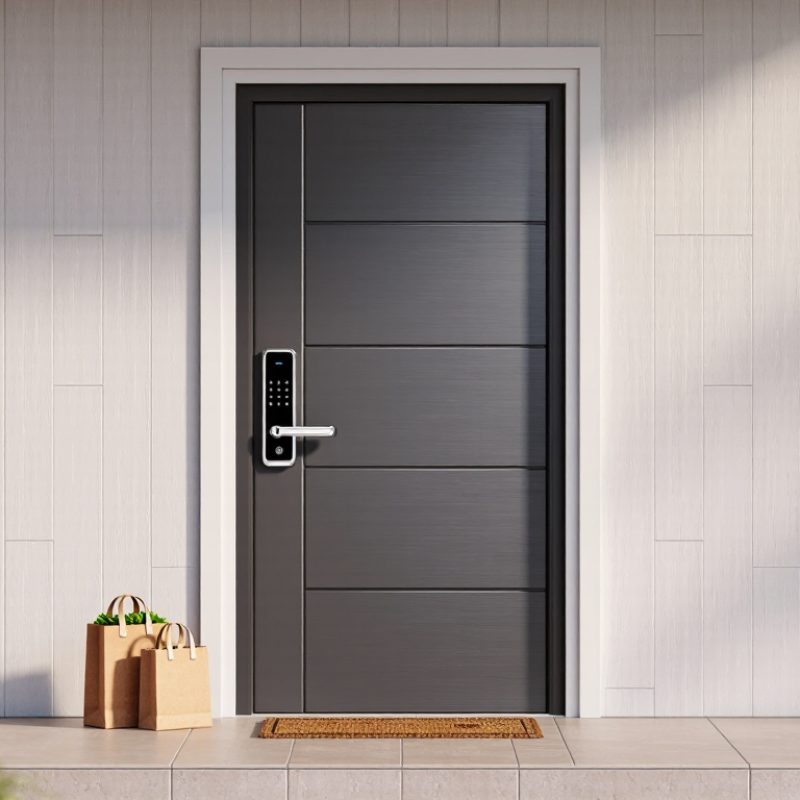
A smart door lock with handle combines a digital locking system and a physical lever in one unit. It replaces separate hardware around the door, creating a cleaner and more practical entry point. Users may unlock it with a fingerprint, keypad code, mobile application, or traditional key. The exact options depend on the model and installation conditions.
Core features usually include temporary access codes, activity records, automatic locking, and low-battery alerts. Some models connect through Bluetooth, Wi-Fi, or another home network. A reliable lock should protect stored data and limit access permissions. From installation experience, door thickness, latch alignment, and handle direction matter more than many buyers expect. A small alignment problem can cause resistance or failed locking. No smart lock is completely maintenance-free.
Tips: Measure the door carefully before purchase. Test the mechanical key and interior release regularly. Keep fresh batteries available, especially before travel. Avoid sharing permanent codes with guests. Temporary codes are easier to control and remove. Check whether the lock still works during a network outage. This detail is often overlooked. Also, review access logs occasionally, but remember that digital records may not explain every real-world event. Professional installation can reduce fitting errors, although it does not replace regular checks.
What Is a Smart Door Lock With Handle?
A smart door lock with handle combines an electronic locking mechanism, a door handle, and connected access control in one unit. Typical core features include app control, PIN entry, biometric access, temporary permissions, activity logs, automatic locking, and emergency mechanical entry.
The chart presents a practical planning estimate for battery runtime at different daily unlocking levels. Higher usage generally increases motor activity and wireless communication, reducing the replacement interval. Actual performance varies with battery type, temperature, connectivity, door alignment, and lock configuration.
How the Locking, Handle, and Digital Access Systems Work
A smart door lock with a handle combines three everyday functions in one entry system: locking, pulling, and digital access. The handle operates like a familiar lever, while the lock mechanism secures the door inside its frame. Depending on the design, a motor moves the bolt after receiving an authorized command. The physical key may remain available as a backup. Small detail, but important.
Digital access usually works through a keypad, fingerprint reader, mobile device, or temporary entry code. Each method identifies a user before releasing the lock. A homeowner might create a code for a cleaner and remove it after the visit. Some systems record entry times, which can help identify unusual activity. However, records are only useful when access settings are reviewed regularly.
Installation quality affects daily reliability more than many buyers expect. A misaligned door can make the motor strain, produce noise, or fail to lock completely. During testing, check whether the bolt enters smoothly when the handle is untouched. Also test the lock with low battery power, a closed door, and weak connectivity. Digital controls are convenient, but they are not magic. I have found that people often focus on app features and overlook the simple handle movement. That is an easy mistake to reconsider before installation.
Main Types of Smart Door Locks With Handles
What Is a Smart Door Lock With Handle?
Main Types of Smart Door Locks With Handles
A smart door lock with a handle combines entry control and door pulling in one unit. It may use a keypad, fingerprint reader, mobile app, or physical key. The handle also affects comfort, security, and installation. In real homes, the best choice depends on door thickness, lock body, and daily traffic.
The integrated lever lock is common on bedrooms, apartments, and office doors. It has a single downward handle and often supports PIN codes or fingerprints.
A mortise smart lock fits inside a larger lock pocket in the door. It usually offers stronger structural support and a cleaner appearance. However, installation requires accurate measurements.
A deadbolt-style smart lock may work with an existing handle, while a retrofit model changes only the interior thumb-turn. This reduces outdoor changes but may limit handle control.
Tips: Measure the backset, door thickness, and handle height before buying. Check whether the door swings inward or outward. Choose a lock with emergency power contacts and a manual key option. Test the latch with the door open first. A quiet motor is helpful at night. Weather exposure can reduce keypad reliability, even with outdoor protection. Battery warnings also deserve attention; people often ignore them until the lock stops responding. No type wins every time. A slightly less advanced lock may perform better when its fitting matches the door precisely.
Installation, Setup, and Daily Operation
A smart door lock with a handle combines access control and a physical lever in one unit. Installation starts with accurate measurements. Check the door thickness, backset, latch position, and frame clearance. Most residential doors use a 60 or 70 mm backset, but assumptions can cause alignment problems. I once tightened the interior plate too early. The latch dragged against the strike. Leave the screws slightly loose until the handle moves smoothly.
Grand View Research’s 2024 report forecasts roughly 19% annual growth for the global smart lock market through 2030. That growth makes installation quality more important, not less. After mounting the lock, insert fresh batteries and test the handle manually. During setup, create one administrator profile first. Add temporary codes only when needed. Keep recovery keys outside the locked room, but store them discreetly. Parks Associates’ 2024 consumer research places smart-home ownership among U.S. internet households at about one-third, showing why simple setup matters.
Daily operation should feel ordinary. Lift the handle, lock the door, and check the battery warning regularly. Use access logs to confirm unusual entry times. Update firmware through the official control interface. Do not rely on fingerprint access alone; wet or dusty fingers can fail. A backup code helps, but it should not be obvious. I still find manual testing valuable after every software update. Convenience is useful. Mechanical reliability remains essential.
Security Benefits, Limitations, and Maintenance Needs
A smart door lock with handle combines the latch, lever, keypad, and wireless controls in one unit. Its main security benefit is access control without carrying a metal key. Users can create temporary codes, review entry records, and lock the door remotely. However, convenience is not the same as complete protection. Verizon’s 2024 Data Breach Investigations Report found credential abuse involved 77% of basic web application attacks, showing why account protection matters.
The lock still depends on batteries, software, network settings, and the door frame. A dead battery may leave the keypad useless, although many models provide an external emergency power point. Weak passwords, reused access codes, or outdated firmware can create avoidable risks. NIST’s IoT cybersecurity guidance recommends secure configuration, data protection, and software-update capabilities. Yet, there is no universal industry dataset proving that smart locks prevent more burglaries than quality mechanical locks. That limitation deserves honest attention.
Tips: Check the battery every month. Use unique access codes. Remove former users quickly. Keep a physical key nearby, but not under the mat. Test locking while the door is open. Inspect the strike plate and screws twice yearly. A poorly aligned door can make a sophisticated lock unreliable. My own practical concern is simple: owners often maintain the electronics, but ignore loose hinges and worn frames.
